Check “My Leaked Info” with Your Email Too! Dark Web Leak Search Added|Complete Guide to Prevent Account Hacking (Credential Stuffing)
Have you been getting frequent failed login alerts lately, or received password reset emails even though you didn’t request them? If so, it may not be a simple system error—it could be a sign of a credential stuffing attack.
Once a leaked combination of username + password starts circulating on the dark web, attackers reuse it to attempt logins across many other websites. The scary part is how common this is—and if it succeeds, it can quickly escalate into account takeover → unauthorized payments → further personal data exposure.
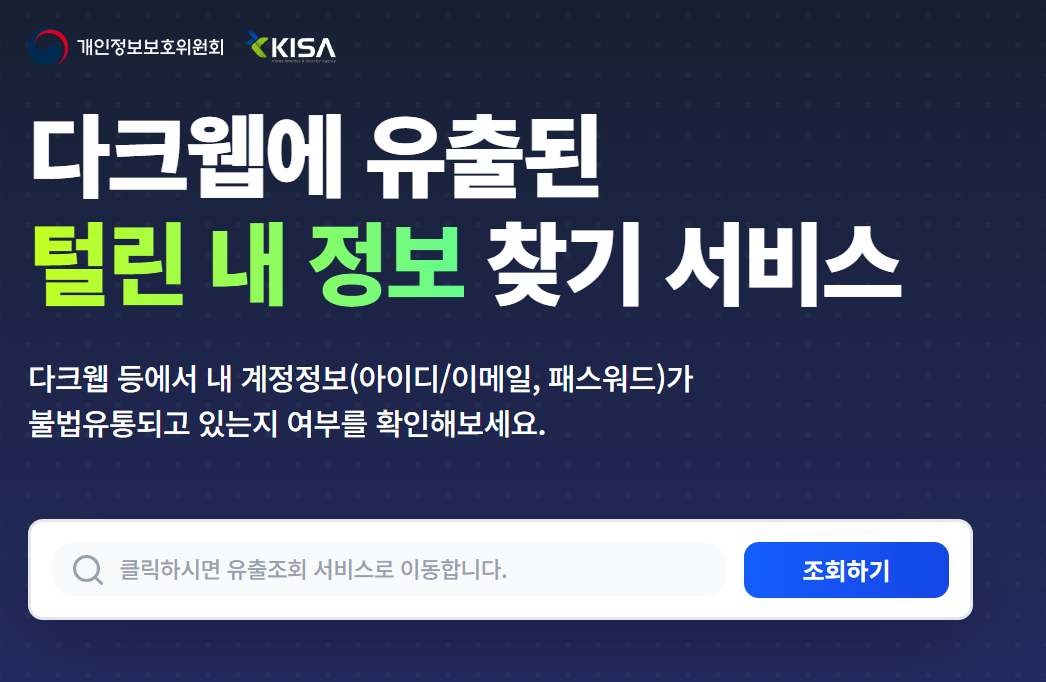
The good news: Korea’s government-run “Find My Leaked Info” service has been updated, and now you can check potential dark web exposure using your email address as well. In this post, I’ll break down the key features and the step-by-step actions you should take to prevent real damage.

1) What Is the “Find My Leaked Info” Service?
The “Find My Leaked Info” service is a public security tool that helps you check whether your commonly used account ID and password combinations have been illegally distributed on the dark web.
- Purpose: Detect exposure early and prevent account hacking
- Who can use it: Anyone
- How it helps: If exposure is found → change passwords / enable 2FA to block attacks
In short, it’s a preventive safety check designed to stop you from becoming a victim simply because you didn’t know your credentials were already leaked.
2) Why the Update Now? (Credential Stuffing Attacks Are Surging)
The Personal Information Protection Commission (PIPC) announced that credential stuffing attacks have increased sharply, leading to an expanded update of the service, which is now fully operated starting from the 29th.
Credential stuffing is a hacking method where attackers obtain leaked credentials (ID/password) and then try the same login details across multiple sites, repeatedly, until they succeed.
Common signs of credential stuffing include:
- A sudden spike in login attempts
- A surge in failed login alerts
- Repeated access attempts during specific time periods
- Once one account is breached, other accounts may be compromised too
If you reuse the same password across different websites, you’re especially vulnerable to this kind of attack.
3) Key Change in This Update: You Can Now Search Leaks Using Your Email
The biggest improvement in this update is that the service now supports not only ID/password checks, but also expanded search via your email address.
Why does this matter?
- Most services today use email = login ID
- If one email is exposed, all connected services become vulnerable
- If attackers access your email, they can intercept password reset links
So this isn’t just a “search feature”—it’s more like a survival check for your digital identity.
4) What to Do After Checking (Most Important Step)
Finding out your info was leaked is not the end—it’s the beginning. People who act within 30 minutes usually prevent real damage. Those who delay often end up losing accounts.
(1) Change Your Password Immediately (Never Reuse)
- Do not use similar patterns (ex: 123 → 1234)
- If the same password was used elsewhere, change them all
- Use different passwords for every site if possible
TIP: Attackers already know the “old password + one extra digit” pattern.
(2) Enable Two-Factor Authentication (MFA)
The PIPC strongly emphasized multi-factor authentication (MFA). Even if your password is leaked, MFA drastically reduces the chance of account takeover.
- Prefer authenticator app methods (safer than SMS)
- Keep recovery/backup codes in a safe place (do not screenshot)
(3) Check Login History and Connected Devices
- Review recent login locations and devices
- If you see unknown devices, log out everywhere
- Review connected apps and third-party access permissions
5) If You Notice These Symptoms, You May Already Be Under Attack
- You didn’t change your password, but failed login alerts keep coming
- You repeatedly receive password reset request emails
- You see warnings like “suspicious activity detected” when trying to log in
- You receive verification emails from websites you never signed up for
If even one applies, you should do email leak check + password change + MFA setup today.
※ Quick note! Account hacking isn’t just a privacy issue. It can lead to payment fraud, financial scams, identity theft, and loan scams. Once your name is abused, resolving it becomes complicated—so checking now is the cheapest way to prevent bigger damage later.
6) Security Measures the PIPC Urged Service Providers to Strengthen
In this announcement, the PIPC didn’t just warn citizens. It also strongly urged service providers (personal information handlers) to strengthen login security.
- Enhance abnormal activity detection and blocking
- Apply CAPTCHA more aggressively during login attempts
- Add extra authentication when accessing pages containing personal information
These changes may make logins feel more “annoying” in the future, but that inconvenience is actually a security shield protecting your account.

7) Conclusion in 3 Lines (Take Action Now)
- You can now check potential dark web exposure using your email address, making it easier to assess risk.
- If exposure is confirmed, password change + MFA is the strongest prevention method.
- If failed login alerts increase, you may already be under attack—check immediately.
My Leaked Info
Recommended Related Posts
